
What Eddy does.
A 3.5 MB Android browser built on the WebView already on your phone.
Private by default
Eddy blocks ads and trackers as pages load. Your history stays on your phone.
- Ad and tracker blocking
- Filter lists stop trackers, pop-up ads, ad redirects and YouTube video ads. Add your own lists, or turn blocking off for one site.
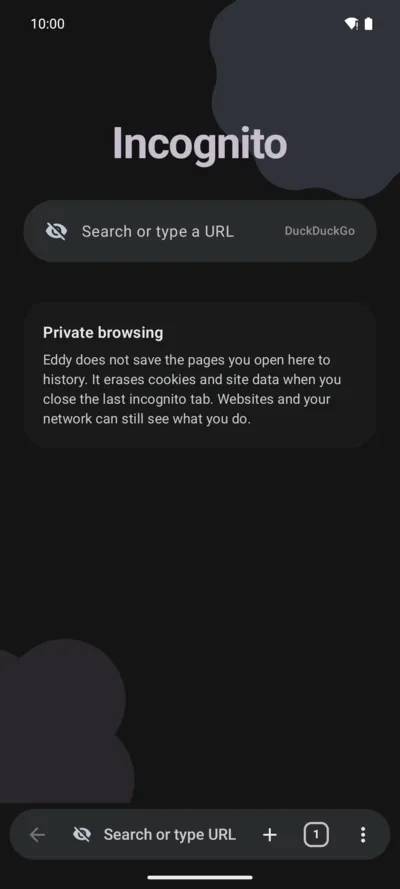
- Incognito with its own profile
- Private tabs keep cookies and storage apart, and Eddy deletes them when you close the last private tab. Screenshots and the recents screen skip private tabs.
- HTTPS-only mode
- Eddy warns you before it opens a plain http page.
- Third-party cookies off
- Sites can’t set cookies for other domains unless you allow it.
- Do Not Track and GPC
- Eddy can send Do Not Track and Global Privacy Control signals to the sites you visit.
- Clear when you leave
- Turn this on to wipe history, cookies, cache and open tabs each time you leave the app.
- Per-site controls
- Set JavaScript, pop-ups, cookies, permissions and text size for each site.
- No accounts or analytics
- Eddy has no ads, telemetry or crash reports, and needs no sign-up.
Built for one hand
The address bar, tabs and menu sit at the bottom, in reach of your thumb.
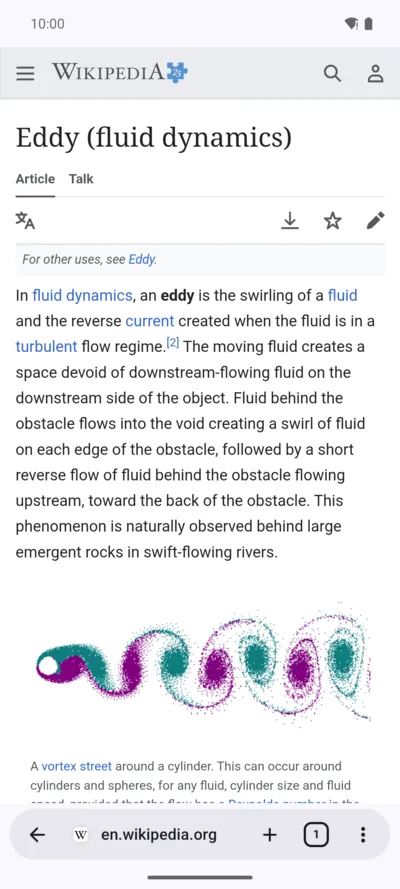
- One floating bar
- Address, tabs and menu share a single bar. Move it to the top in Settings if you prefer.
- Swipe between tabs
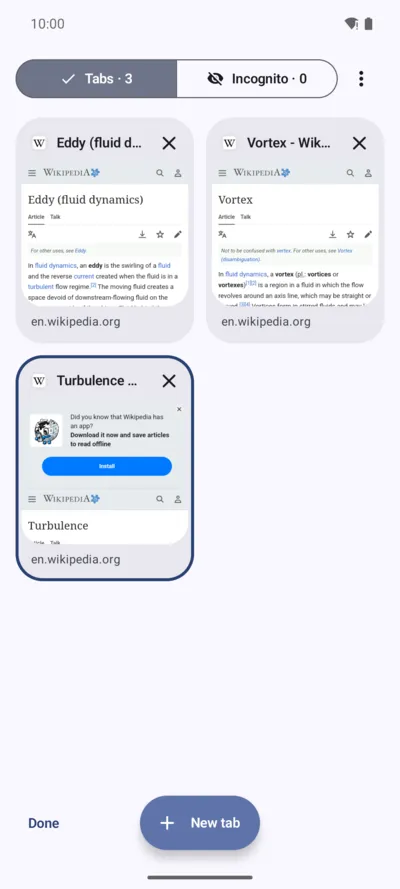
- Swipe the address bar left or right to change tabs, or up to open the tab list.
- A tab list you can sort
- Long-press a tab to drag it into place. Swipe a card away to close it.
- Back to the opener
- Press Back in a tab a link opened and you return to the page that opened it.
- Your colours
- Match your wallpaper or pick one of six palettes, in light, dark or pure black.
- Your icon and start page
- Choose a different app icon, and hide the start-page shortcuts with a long-press.
- Search widget
- Put a search bar with voice and incognito buttons on your home screen.
Reading and files
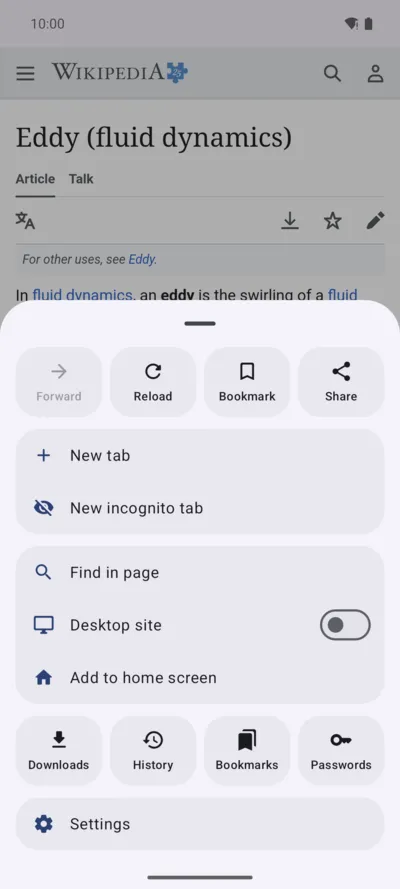
Read, listen, translate and save pages from the menu.
- Reader mode
- Strip a page down to the article text.
- Read aloud
- Your phone’s speech engine reads the page to you.
- Translate
- Tap Translate in the menu and pick a language. Eddy opens the page through Google Translate.
- Print or save as PDF
- Send any page to a printer or keep it as a PDF.
- Built-in viewers
- PDFs and text files you download open inside Eddy.
- Resumable downloads
- Pause, resume and retry. Files keep the name the site gives them.
- View source
- Read a page’s markup with indents, colours and line numbers.
Everyday browsing
Bookmarks, passwords and tabs that stay light on memory.
- Passwords
- Eddy offers to save a password after you sign in, encrypts it and locks it behind your screen lock. Autofill waits for your tap. Import and export use Chrome’s CSV format.
- Bookmarks
- Sort them into folders, and import or export the standard HTML file.
- History
- Search the pages you visited.
- Search
- Pick your engine, with suggestions and voice input.
- Desktop site
- Load the full desktop layout of a page.
- Background playback
- Video and audio keep playing when you leave the app or turn the screen off.
- App links
- Links to TikTok, WhatsApp, Telegram, the Play Store and other apps open in those apps.
- Light on memory
- Four tabs stay loaded. The rest sleep and come back with their history.
Every connection Eddy makes
Besides the pages you open, Eddy talks to these four, and only for the reason shown. The privacy policy has the details.
- Filter lists
- adguardteam.github.io and raw.githubusercontent.com, about once a day. Turn them off in Settings > Privacy and security > Filter lists.
- Your search engine
- Suggestions as you type, if you turn them on.
- Google Translate
- The page address, when you tap Translate.
- Web3Forms
- api.web3forms.com, when you tap Send in Settings > Support.
Known limitations
- No website notifications: Android’s WebView doesn’t support them.
- Blocking works on domains and URLs. Eddy doesn’t hide page elements.
blob:downloads and password autofill need a recent Android System WebView.
Try it on your phone.
Free and open source, for Android 10 or newer.